

Ancient Delta Force Web Radar

Ancient Delta Force Web Radar

Minimal ban chance
Price from3$
Choose plan

Buy Subscription

1 day 3$
Soon
7 days 15$ ≈ 2.14$ per day
Soon
Best value
30 days 30$ ≈ 1$ per day
Soon

Payment for this product will be available soon.

System Requirements

Virtualization (BIOS)SVM [AMD] / VT-X [INTEL] — enabled
RAM16 GB or more
Hyper-Vdisabled — AMD and Intel
Firmware modeUEFI or Legacy — AMD and Intel
Disk formatGPT or MBR — AMD and Intel
Secure Bootdisabled
Radar viewingin a browser — PC, phone or tablet

Features

ABOUT THE RADAR

Web radar

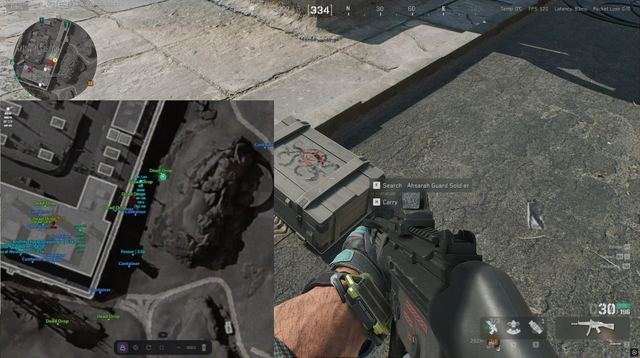
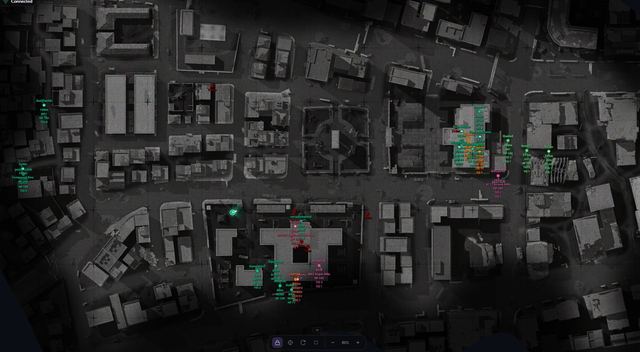
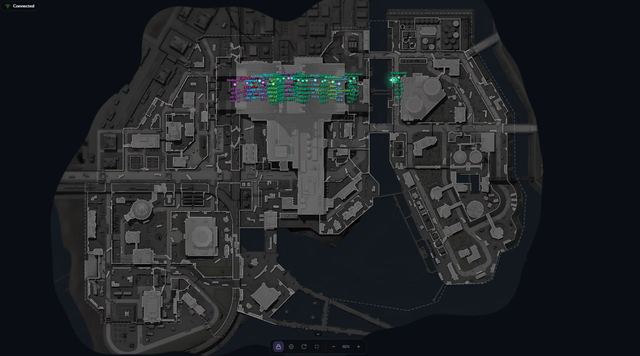
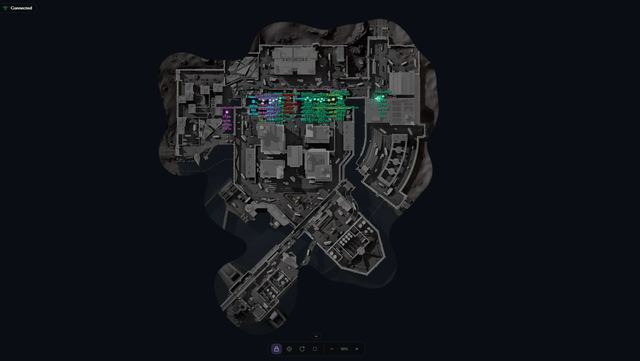
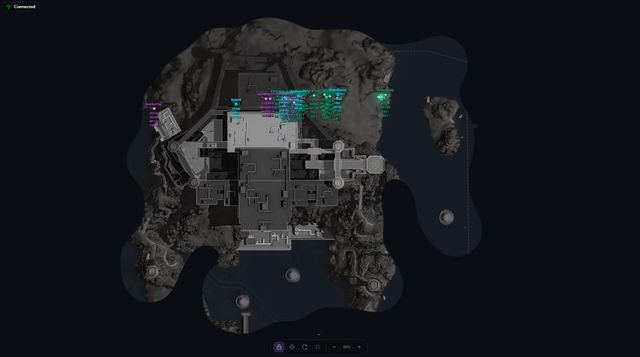
  • Web radar for Delta Force: enemies, AI and loot on a live map right in your browser
  • Open it on a PC, phone or tablet alongside the game
  • Share the radar link with your teammates

PLAYERS AND AI

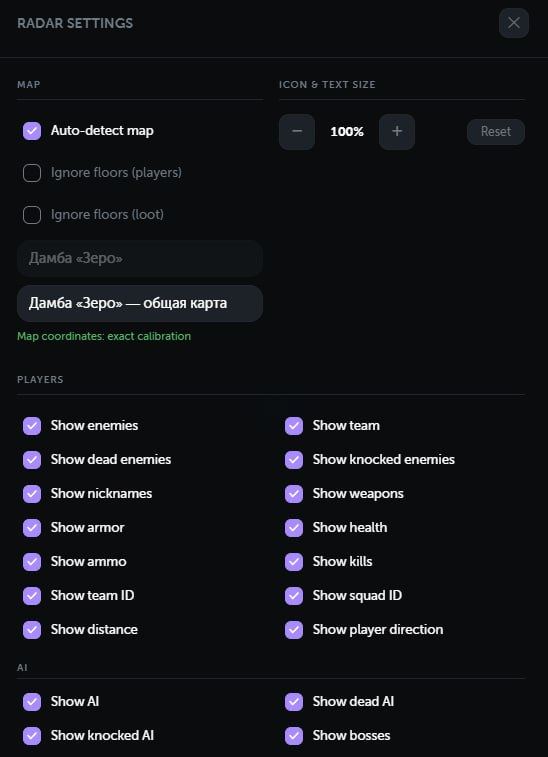
  • Real-time display of enemies and teammates
  • Display of regular AI enemies and bosses
  • Separate markers for alive, knocked and dead targets
  • Player nicknames
  • Currently equipped weapon
  • Current and maximum ammunition
  • Health and knocked health
  • Helmet and body armor levels
  • Kill count
  • Team and squad IDs
  • Distance to each target
  • Player facing direction
  • Indicators showing whether a target is above or below the current floor
  • Separate colors for visible targets
  • Automatic color grouping for enemies from the same team
  • Correct player positioning while inside vehicles

LOOT

Supported categories (Operations maps only)

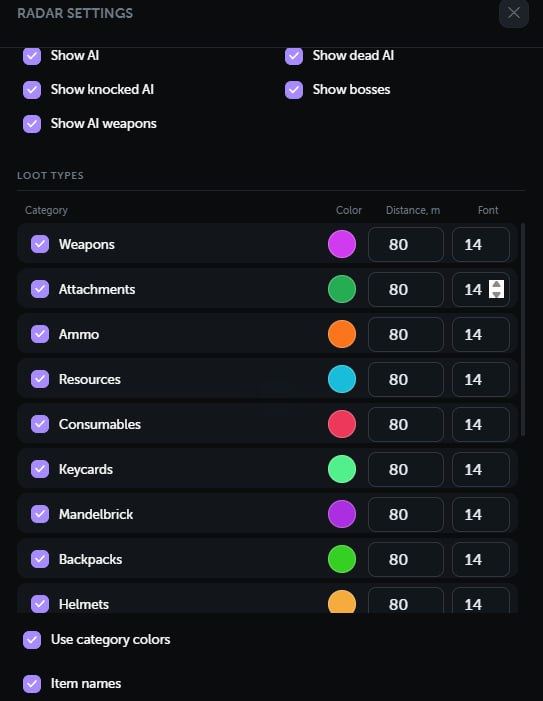
  • Weapons
  • Attachments
  • Ammunition
  • Resources
  • Consumables
  • Keycards
  • MandelBricks
  • Backpacks
  • Helmets
  • Body armor
  • Chests
  • Dead bodies
  • Computers
  • Containers
  • Safes
  • Unknown items for diagnostics

Loot settings

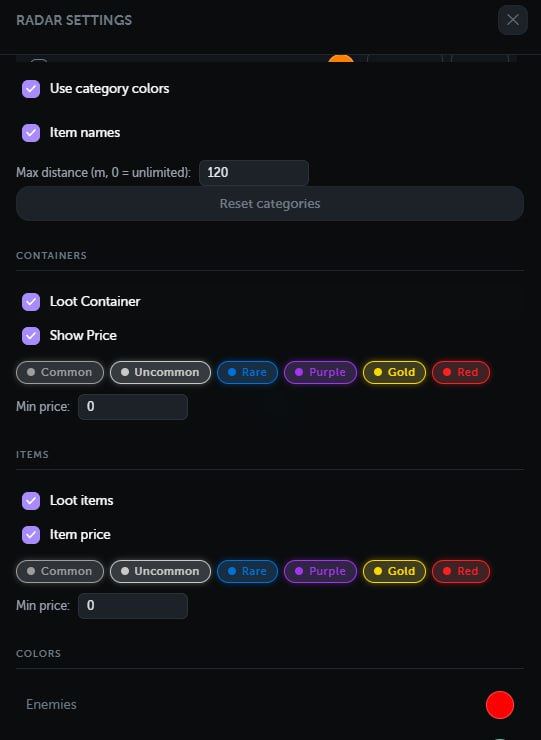
  • Enable or disable each category separately
  • Display item names
  • Display item or container value
  • Rarity filters from level 1 to 6
  • Minimum price filter
  • Global maximum distance
  • Individual distance limit for each category
  • Individual color for each category
  • Individual text size for each category
  • Separate settings for items and containers
  • Loot filtering by floor

MAPS

  • Support for 22 Delta Force maps
  • Automatic current map detection
  • Manual map selection
  • Support for multiple floors and map layers
  • Separate floor filtering options for players and loot
  • Accurate affine world-to-map calibration
  • Built-in calibration tool for new maps
  • Calibration controls are automatically hidden on calibrated maps
  • Relative coordinate mode for maps that have not been calibrated yet
  • Loot is automatically disabled on maps where loot should not appear

RADAR CONTROLS

  • Automatic tracking of the local player
  • Free map movement using a mouse or touchscreen
  • Quick recentering on the local player
  • Optional map rotation based on the player's direction
  • Zoom using buttons, the mouse wheel or touch gestures
  • Fullscreen mode
  • Collapsible bottom control panel
  • Adjustable marker and text size
  • Local player direction and field-of-view display

INTERFACE

  • Player, AI and loot counters
  • Client connection status
  • Notification when the client is not in a match
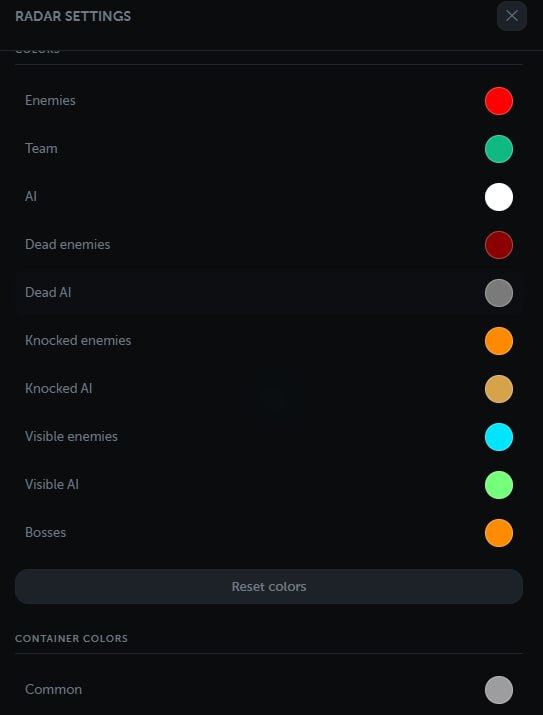
  • Custom colors for every target type
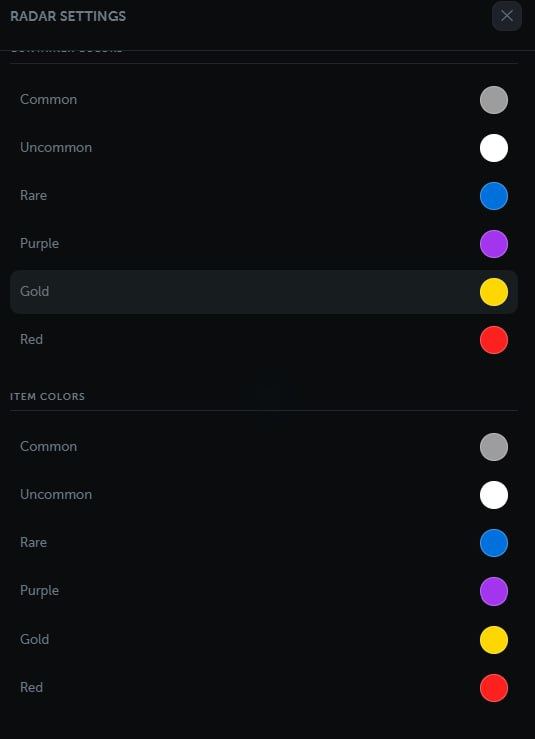
  • Separate rarity colors for items and containers
  • Browser-based settings storage
  • Russian, English and Chinese interface
  • Desktop and mobile device support

Ancient Delta Force Web Radar — Live Web Radar for Arena Breakout: Infinite

Ancient Delta Force Web Radar is a web-based radar for Arena Breakout: Infinite. Player positions, AI, bosses, loot containers and item rarities are displayed on a live map directly inside your browser — open it on a second monitor, tablet or phone while you play on your main PC.

How the Web Radar Works

The radar runs in the browser and updates in real time. There is no separate viewer to install on your gaming PC — just open the link. Map auto-detection picks the current location automatically; you can rotate the map with your view direction, follow your character, or switch to fullscreen for a clean overview.

What You See on the Map

Enemies and teammates are marked with customizable colors. You can toggle nicknames, look direction, dead players, current weapon and equipment price. AI bots and bosses are tracked separately with their own color, weapon and loot price filters. Loot containers can be filtered by rarity: Common, Uncommon, Rare, Purple, Gold and Red.

Squad Sharing

Share the radar link with your squad — they will open the same live map in their browser and see exactly what you see. Russian, English and Chinese interface languages are supported out of the box.

Subscriptions and Activation

Choose a subscription on this page (1 day, 7 days or 30 days) and complete the payment via the provided link. The activation key is delivered automatically and unlocks the radar for the chosen period. Updates during the subscription are free.

Important: Use third-party tools at your own risk and in accordance with the rules of the platform you play on.